Features
Everything you need to run employee training.
53 features across twelve areas — from the course catalog to the day a certification needs renewing.
Course catalog
Every course your staff can take, in one catalog.
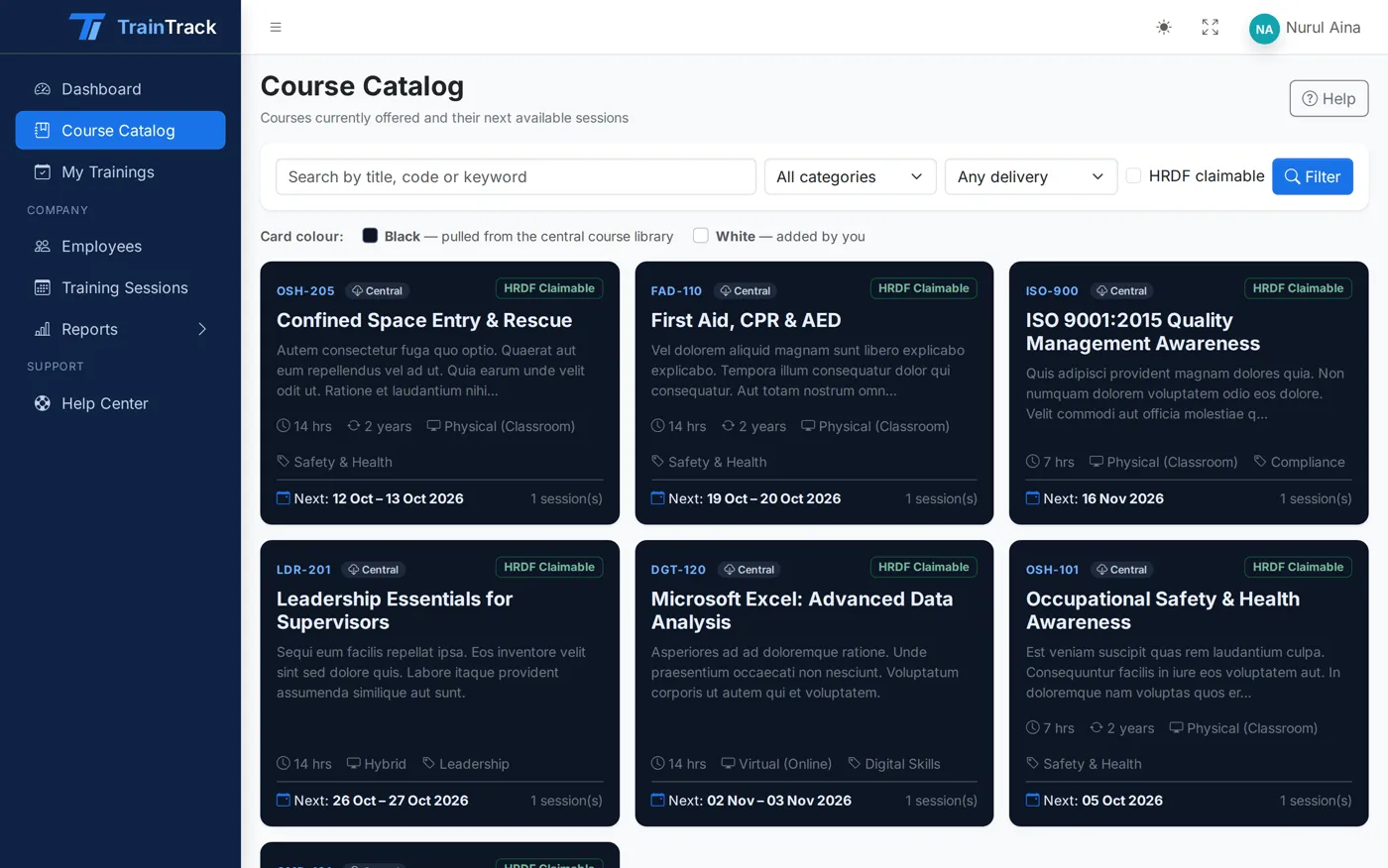
Publish your courses once. Company HR browses them, filters by what HRDF will fund, and books their staff in a few clicks.
-
Course details
Code, title, category, description, learning objectives, duration in hours and fee per pax in RM.
-
HRDF-claimable flag
Mark courses that can be claimed under HRD Corp and record the scheme. HR can filter the catalog to claimable courses only.
-
Physical, virtual or hybrid
Set how each course is delivered, so HR knows whether staff travel to a venue or join online.
-
Central and company courses
Your central catalog sits alongside courses a company adds for itself, clearly labelled “Added by you”.
-
Recertification period
Tell TrainTrack a course must be retaken every N months (1 to 120), and it tracks expiry for every person who completes it.
-
Public course feed
Courses and upcoming sessions are published through an API, so your website always shows the current schedule.
Sessions & enrollment
Schedule sessions and fill the seats.
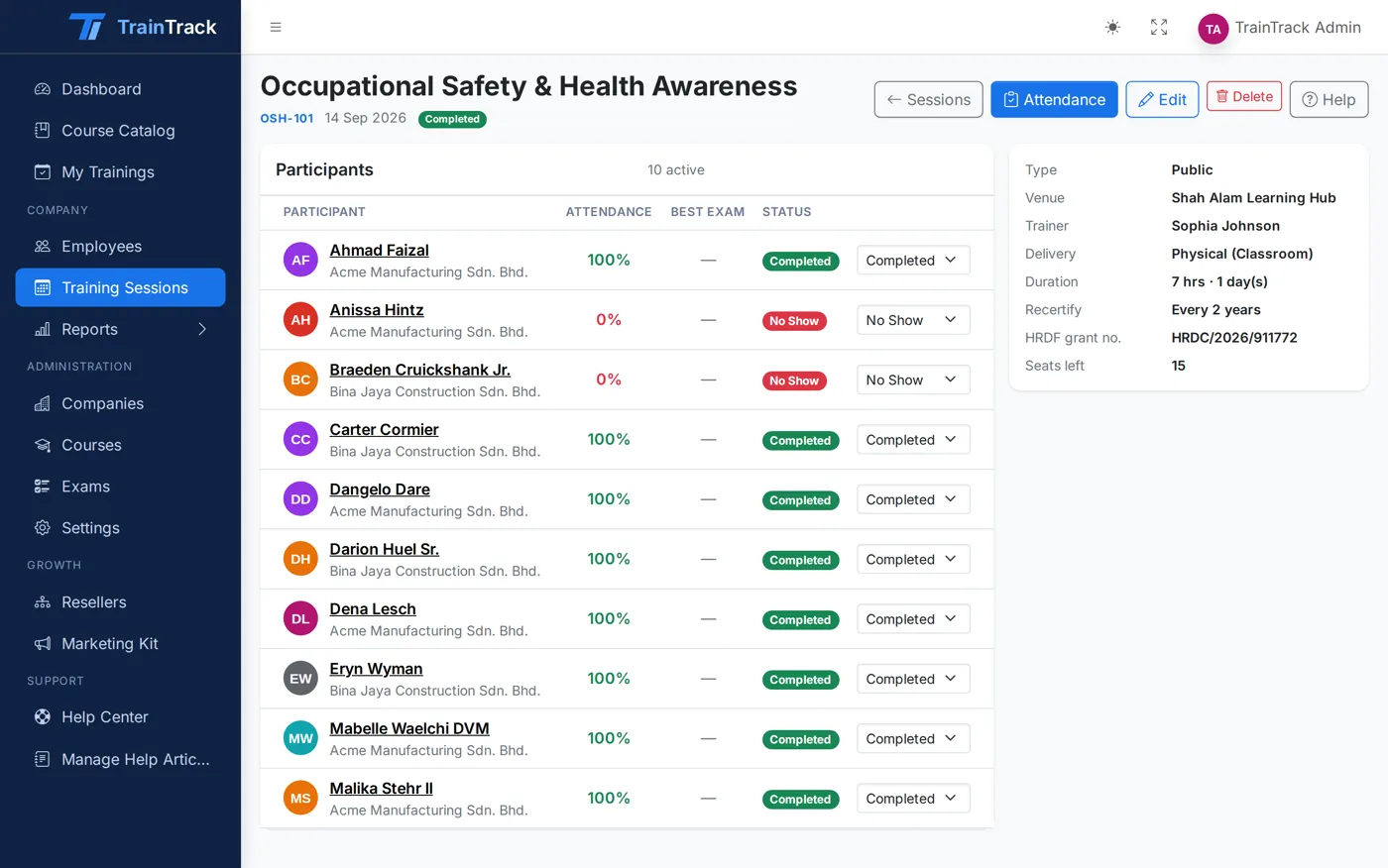
Run public classes open to every client, or in-house sessions for one company. HR enrolls their own staff; you see the headcount live.
-
Public or in-house
Open a session to all companies, or keep it private for a single client’s in-house programme.
-
Seats, venue and trainer
Up to 1,000 seats per session, with venue, trainer name and the HRDF grant number on record.
-
Session status
Scheduled, Ongoing, Completed or Cancelled — everyone sees the same, current picture.
-
HR self-enrollment
Company HR picks employees from their own list and books them in. No spreadsheets passed back and forth.
-
Enrollment status
Track each participant as Registered, Completed, No-show or Cancelled.
Attendance
Daily attendance, marked in seconds.
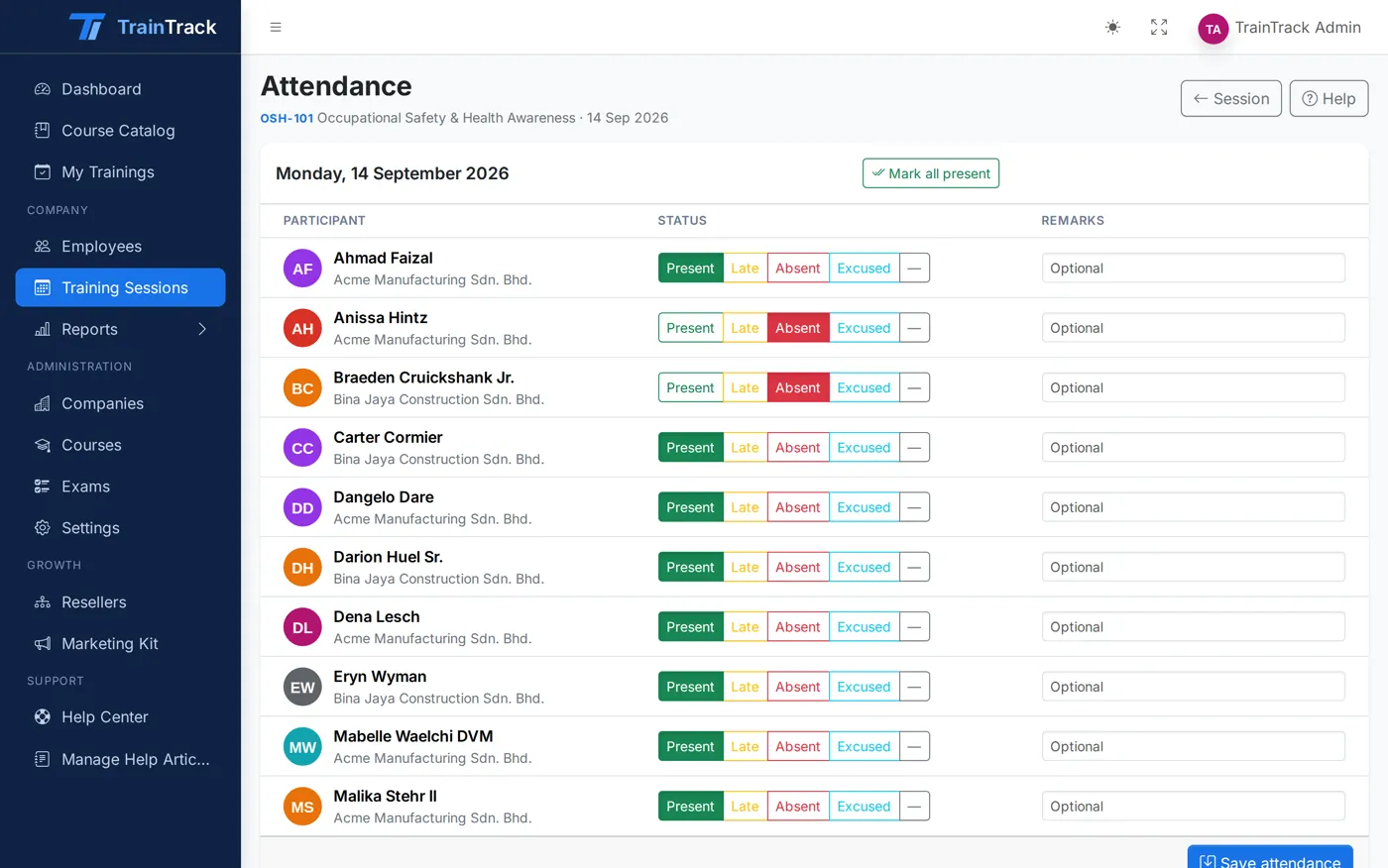
Mark attendance for every day of a multi-day session — the evidence HRDF claims and client reports depend on.
-
Four attendance states
Present, Late, Absent or Excused, per person, per day.
-
Multi-day sessions
A column for each day of the session, so a two-day course is marked as two days.
-
Attendance report
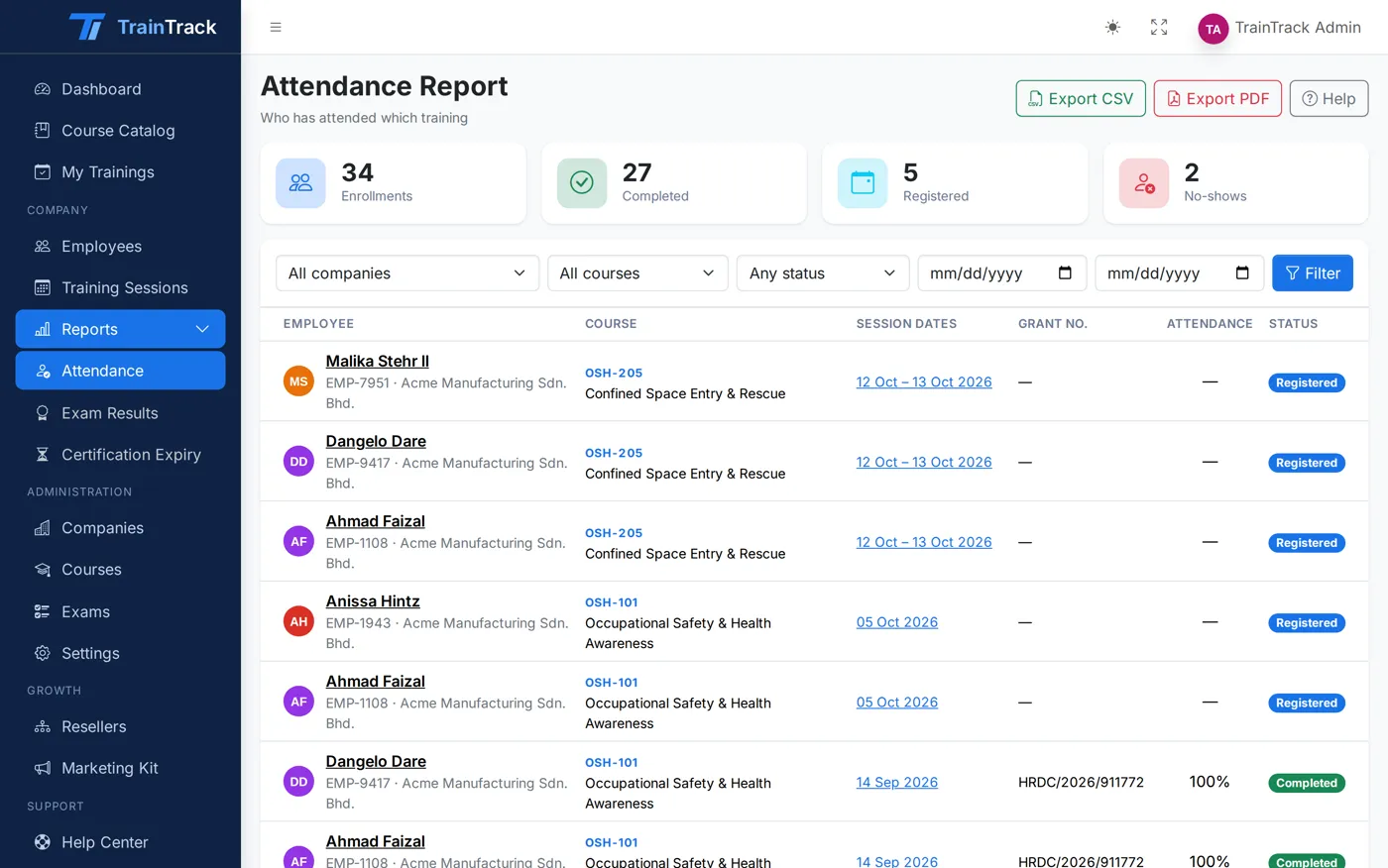
Filter by company, course and date, then export to CSV or a print-ready PDF.
Exams & assessments
Pre-tests, post-tests and assessments — graded for you.
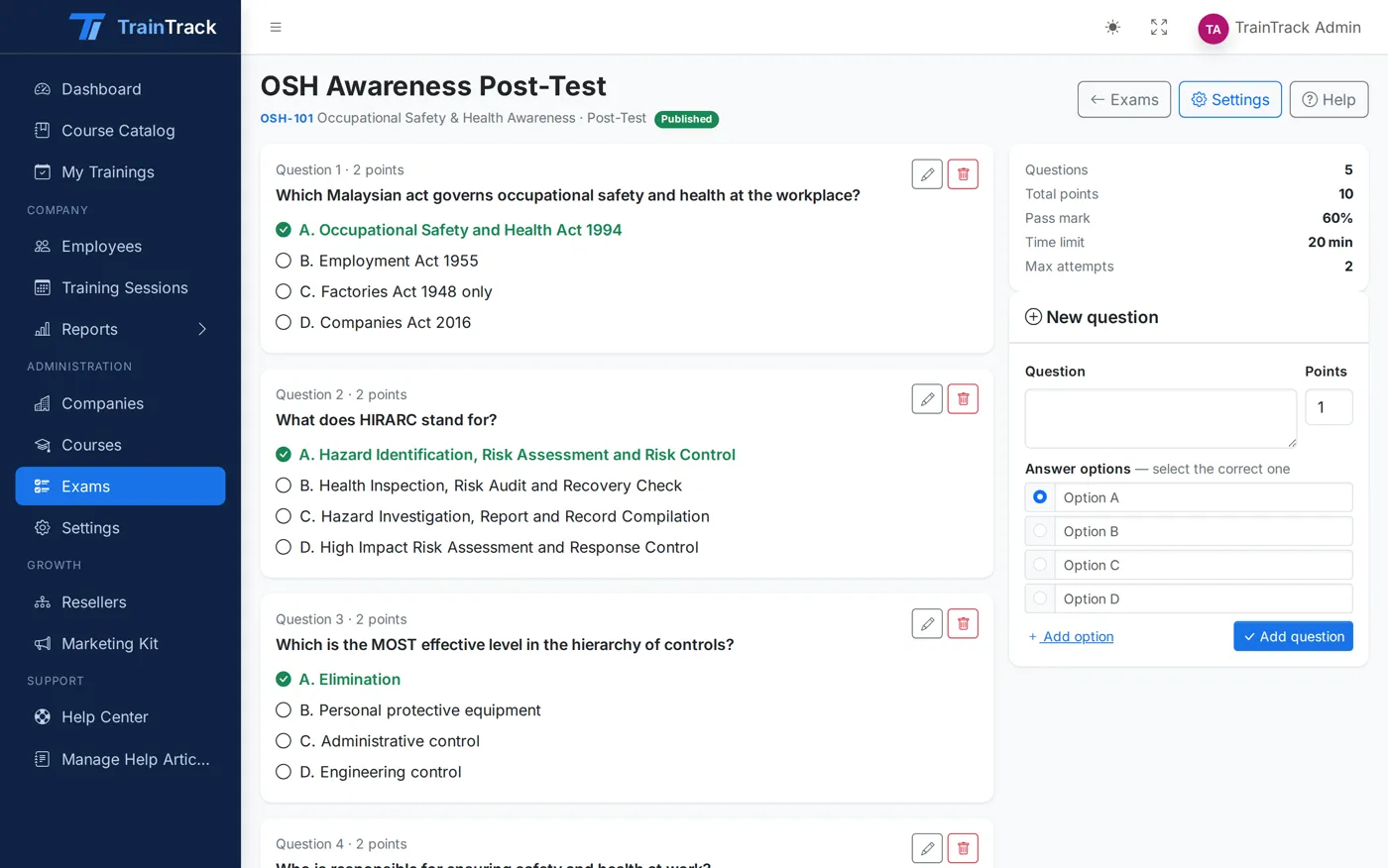
Build multiple-choice exams, attach them to a course, and let TrainTrack time, mark and record every attempt.
-
Three exam types
Pre-test to measure the starting point, post-test to prove learning, or a standalone assessment.
-
Question builder
Multiple-choice questions with 2 to 6 options and 1 to 100 points each.
-
Pass mark and attempts
Set the pass mark from 0 to 100% and allow 1 to 20 attempts.
-
Timer and shuffle
Time limits from 1 to 600 minutes, with questions in a shuffled order for each attempt.
-
Automatic grading
Scores are calculated the moment a trainee submits. When time runs out, the exam submits itself.
-
Answers saved as they go
Answers are kept in the browser, so a dropped connection does not lose work.
-
Learn from mistakes
Correct answers are shown once the trainee passes or has used all attempts.
-
Suggested exams
When a trainee finishes a training, the matching exam is waiting on their dashboard.
Certification expiry
Never miss a renewal again.
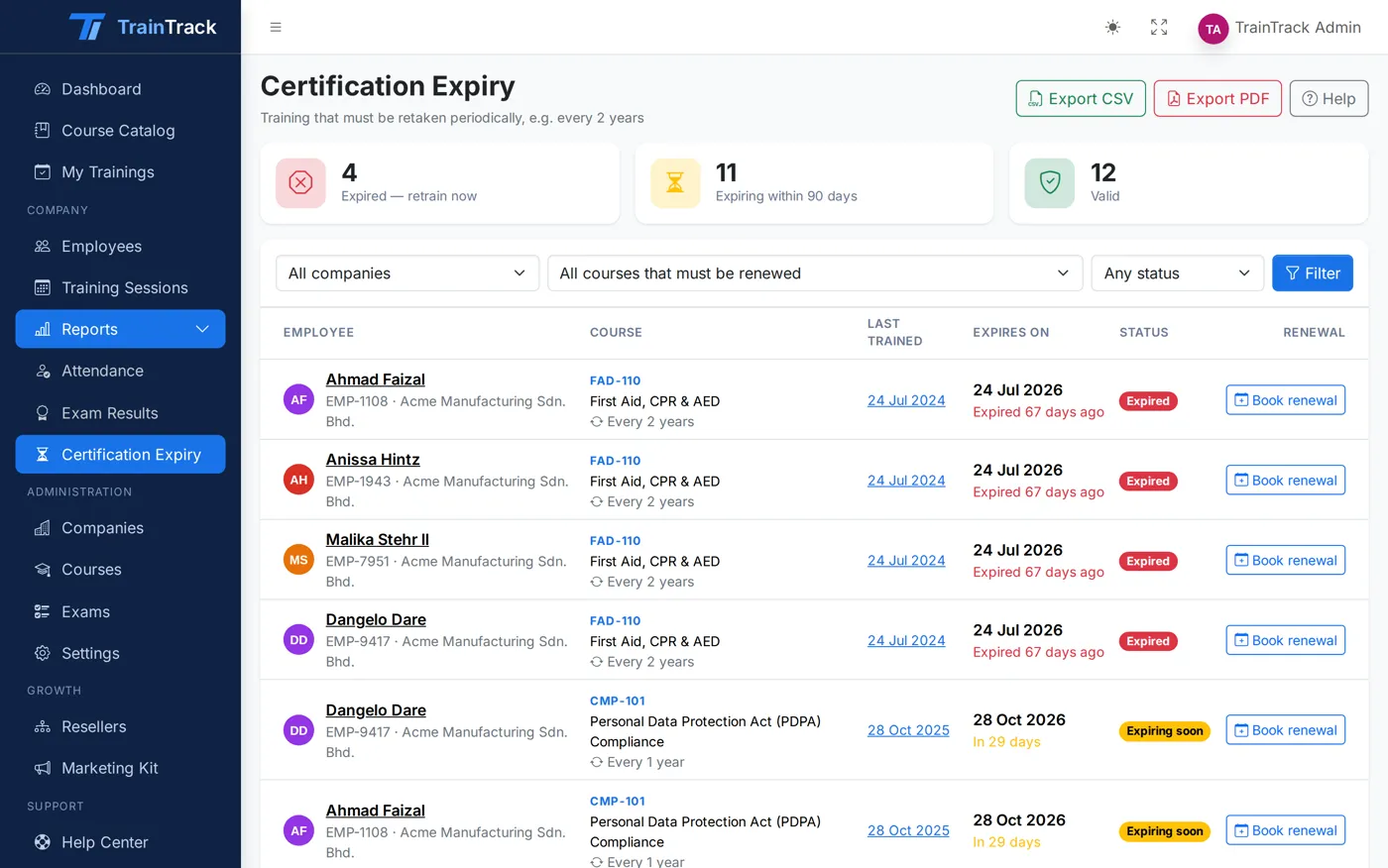
First aid, safety and compliance training must be retaken on time. TrainTrack works out every expiry date and warns HR before it passes.
-
Expiry worked out for you
Last completion date plus the course’s validity period — for every employee, every course.
-
Valid, Expiring, Expired
A clear status for each certification. “Expiring” starts 90 days ahead by default, and you can change the window.
-
Retraining due alert
The HR dashboard shows how many staff have expired or are about to, with a link straight to the list.
-
Book renewal
One click from an expiring certification to the next session of the same course.
-
Expiry emails
Automatic emails when a certification is about to expire and when it has expired, plus a daily retraining summary for HR.
Companies & employees
All your client companies, each in its own space.
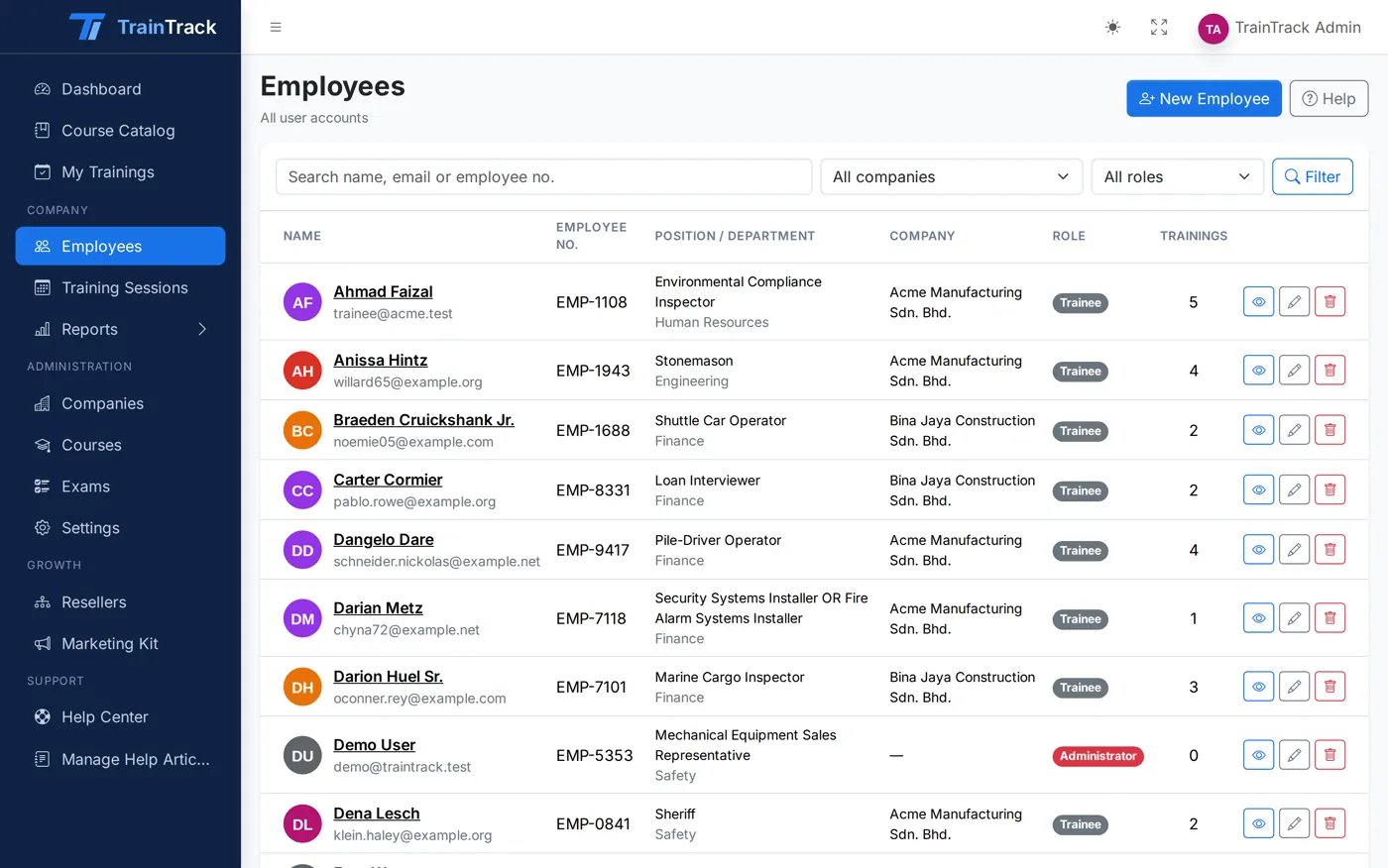
Serve many companies from one system. Each company’s HR sees their own staff and nothing else.
-
Multiple companies
Add every client company with its HRDF employer code and HR contacts.
-
Employee records
Photo, employee number, IC number and department for every trainee.
-
Training history
Every course, attendance record, exam result and certification for one person, on one page.
-
Data kept apart
Company HR only ever sees their own company’s employees, enrollments and reports.
Reports & HRDF evidence
Claim-ready reports in two clicks.
Attendance, exam results and certification expiry — filtered the way you need, and exported the way HRDF and your clients ask for them.
-
Attendance report
Who attended which session, day by day, with totals per company.
-
Exam results report
Scores, pass or fail and number of attempts for every trainee and exam.
-
Certification expiry report
Every certification with its last training date, expiry date and status.
-
CSV and PDF export
Download any report as CSV for Excel, or a print-ready A4 PDF for your claim file.
-
Live dashboards
Admin and HR dashboards show upcoming sessions, staff trained and exam pass rates at a glance.
Automatic emails
The right email, to the right person, on time.
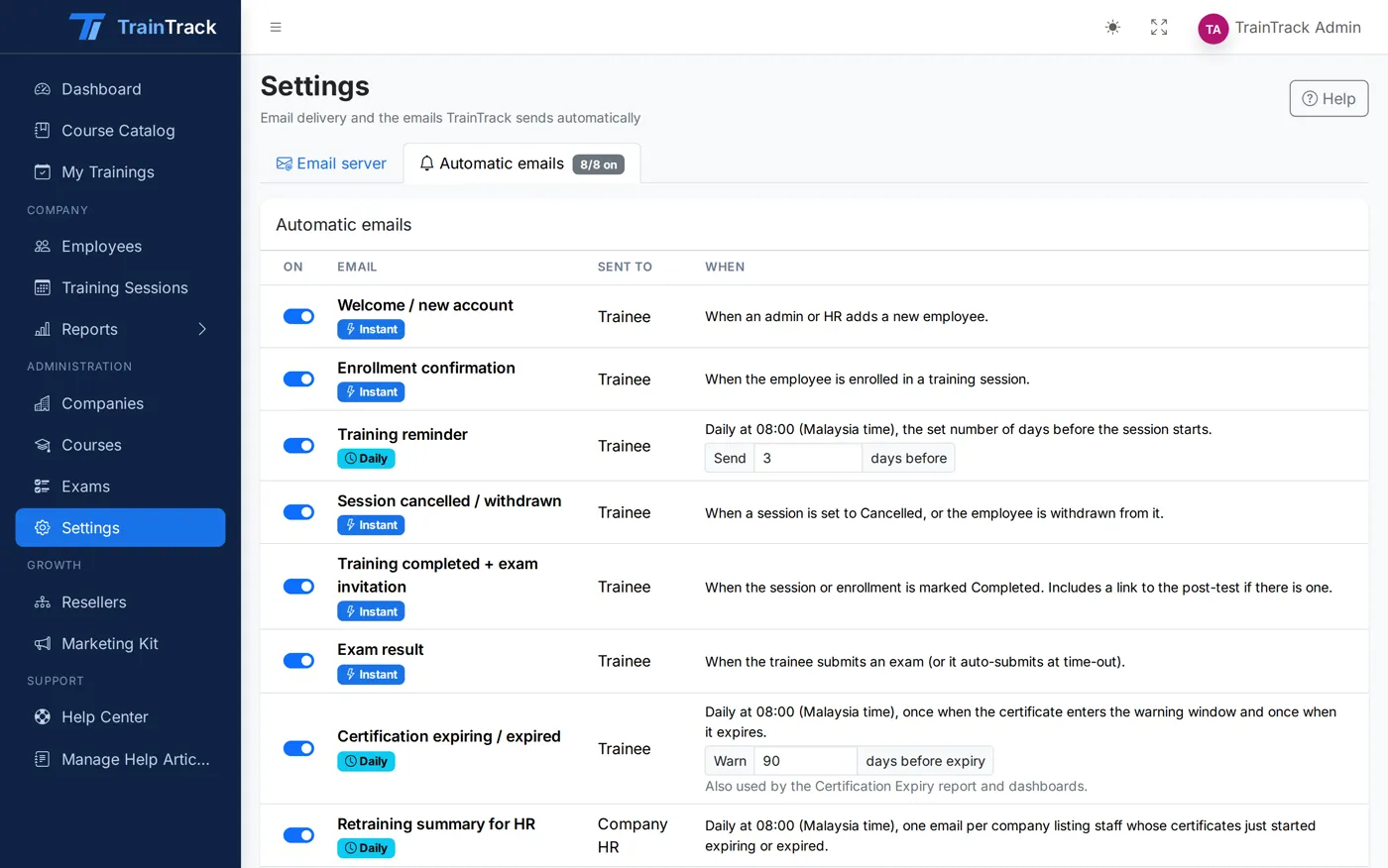
TrainTrack sends the reminders your team used to send by hand. Switch each one on or off.
-
Welcome and enrollment
New users get their login; trainees get the session details when HR books them in.
-
Session reminder
A reminder three days before the session starts, and a notice if it is cancelled.
-
Completion and exam invite
When the training is complete, trainees are invited to sit the exam — and receive their result after.
-
Expiry warnings
Emails when a certification is expiring and when it has expired.
-
Daily HR summary
At 08:00 each morning, HR receives the list of staff due for retraining.
-
Your own mail server
Set up SMTP from the settings page and send a test email before going live. Failures raise an alert.
Trainee portal
Trainees see what is next — on any phone.
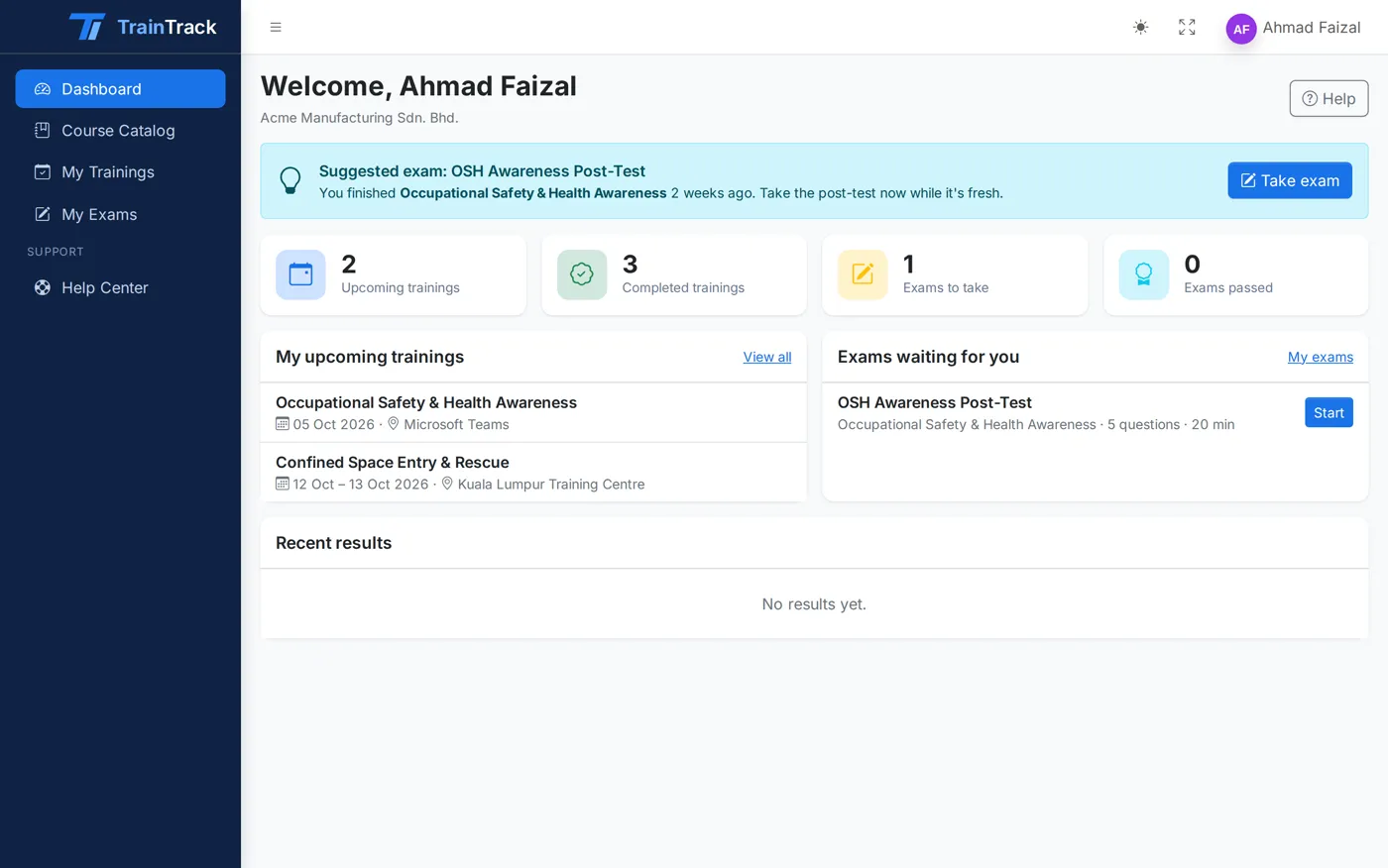
Every employee gets a simple portal with their upcoming training, exams to sit and certifications to renew.
-
My Trainings
Upcoming and past sessions with dates, venue and status.
-
Exams to take
Suggested exams appear as soon as a training is completed.
-
Mobile friendly
Built for small screens, so staff on the shop floor can sit an exam from their phone.
Help Center
Answers inside the app, not in a manual.
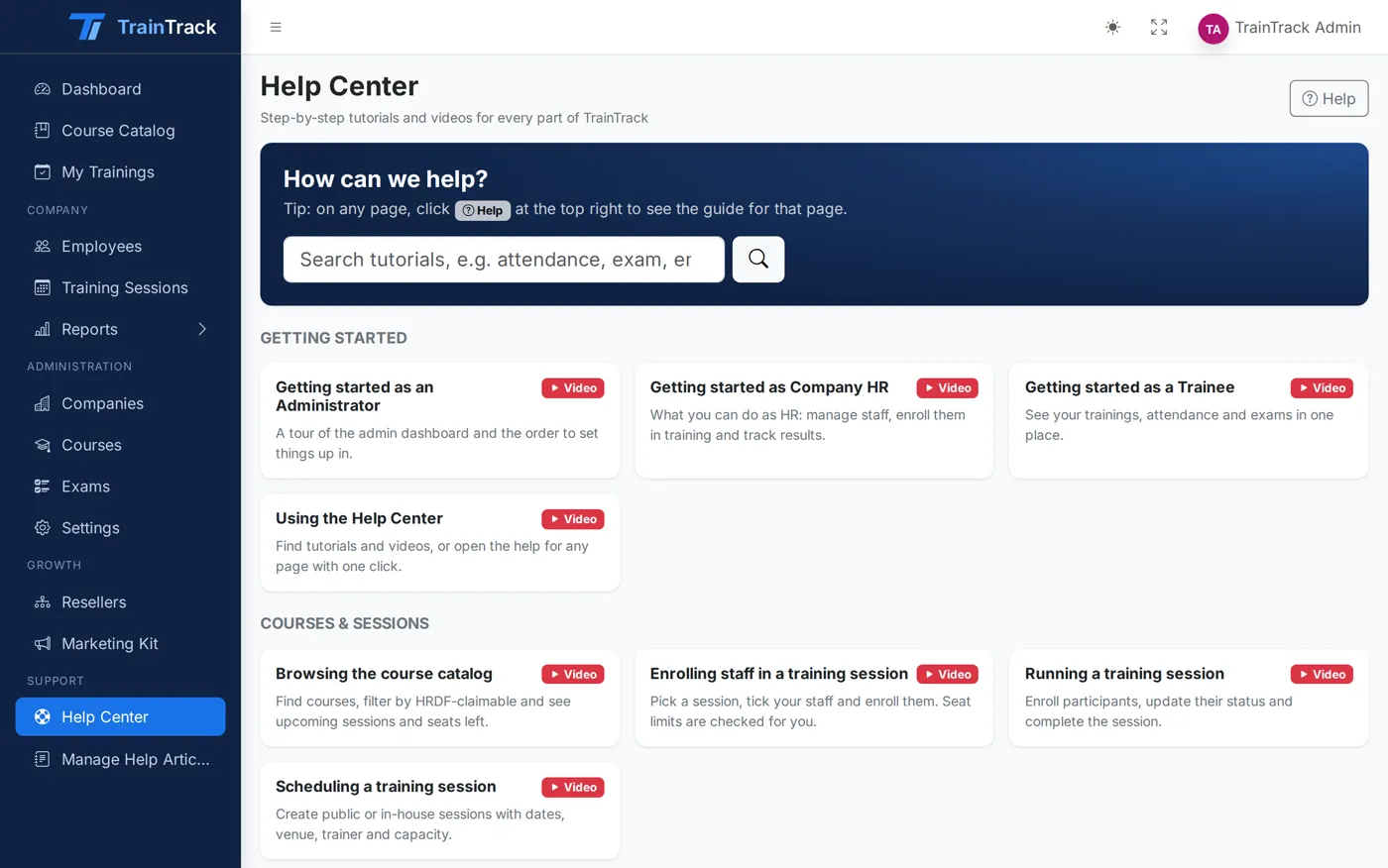
Short video tutorials and written guides, one click from any page.
-
18 video tutorials
From adding employees to building exams and preparing HRDF claims.
-
Help on every page
A Help button opens the guide for the page you are on.
-
Edit the guides
Admins can update the help articles in Markdown to match how your team works.
Resellers & marketing kit
Grow with partners who sell for you.
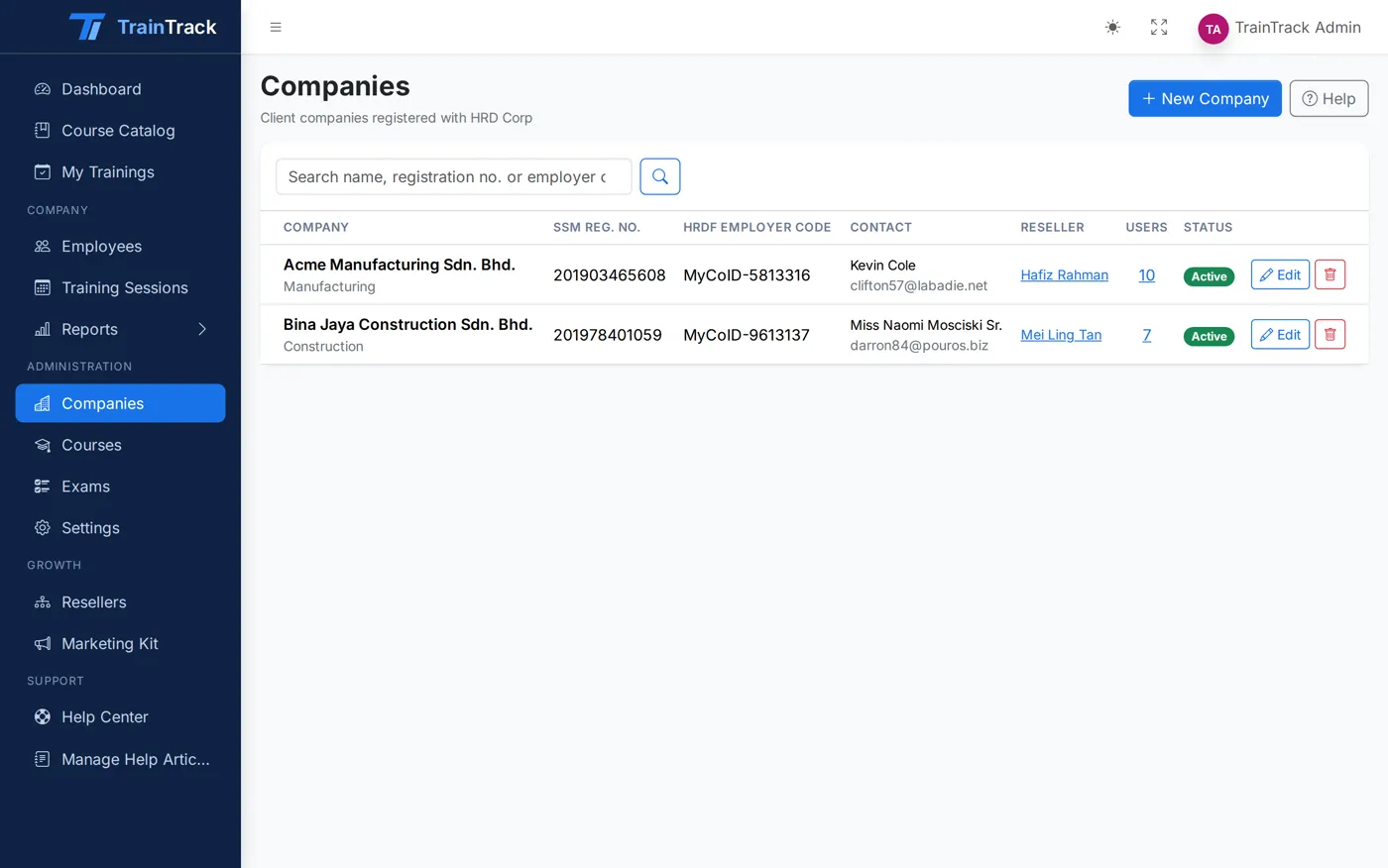
Give resellers their own referral code and link, track commission, and hand them ready-made marketing material.
-
Reseller programme
Commission rate, referral code, referral link and QR code for each reseller.
-
Marketing kit
Banner, A3 poster, flyers, business card and a 30-second promo video with your QR code.
Roles & access
Three roles, each with the right view.
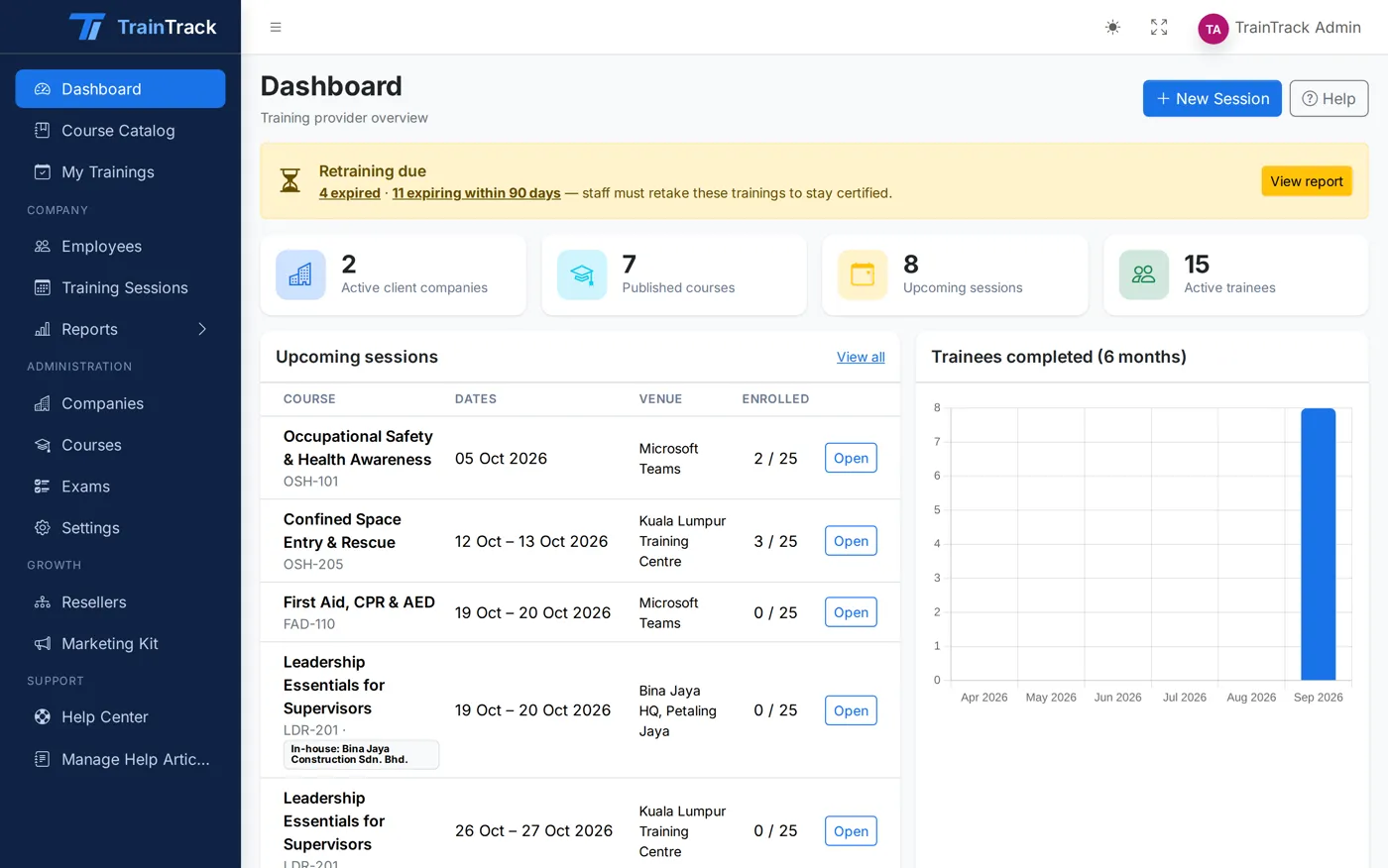
The training provider runs the system; each company manages its own people; trainees see their own training.
-
Administrator
The training provider. Manages courses, sessions, exams, companies, reports, emails and settings.
-
Company HR
Manages their company’s employees, books them into sessions and watches certification expiry.
-
Trainee
Sees their trainings, sits exams and knows when a certification needs renewing.
Plan, track and stay compliant with TrainTrack.
See it with your own courses in a 30-minute walkthrough, or sign in to the live demo right now.