Compliance & HRDF
Know who is certified, who is due, and prove it.
TrainTrack keeps an expiry date on every certification, warns HR before it passes, and turns attendance and exam results into reports you can hand to HRDF or an auditor.
Certification expiry
Never miss a renewal again.
First aid, safety and compliance training must be retaken on time. TrainTrack works out every expiry date and warns HR before it passes.
- Expiry worked out for you Last completion date plus the course’s validity period — for every employee, every course.
- Valid, Expiring, Expired A clear status for each certification. “Expiring” starts 90 days ahead by default, and you can change the window.
- Retraining due alert The HR dashboard shows how many staff have expired or are about to, with a link straight to the list.
- Book renewal One click from an expiring certification to the next session of the same course.
- Expiry emails Automatic emails when a certification is about to expire and when it has expired, plus a daily retraining summary for HR.
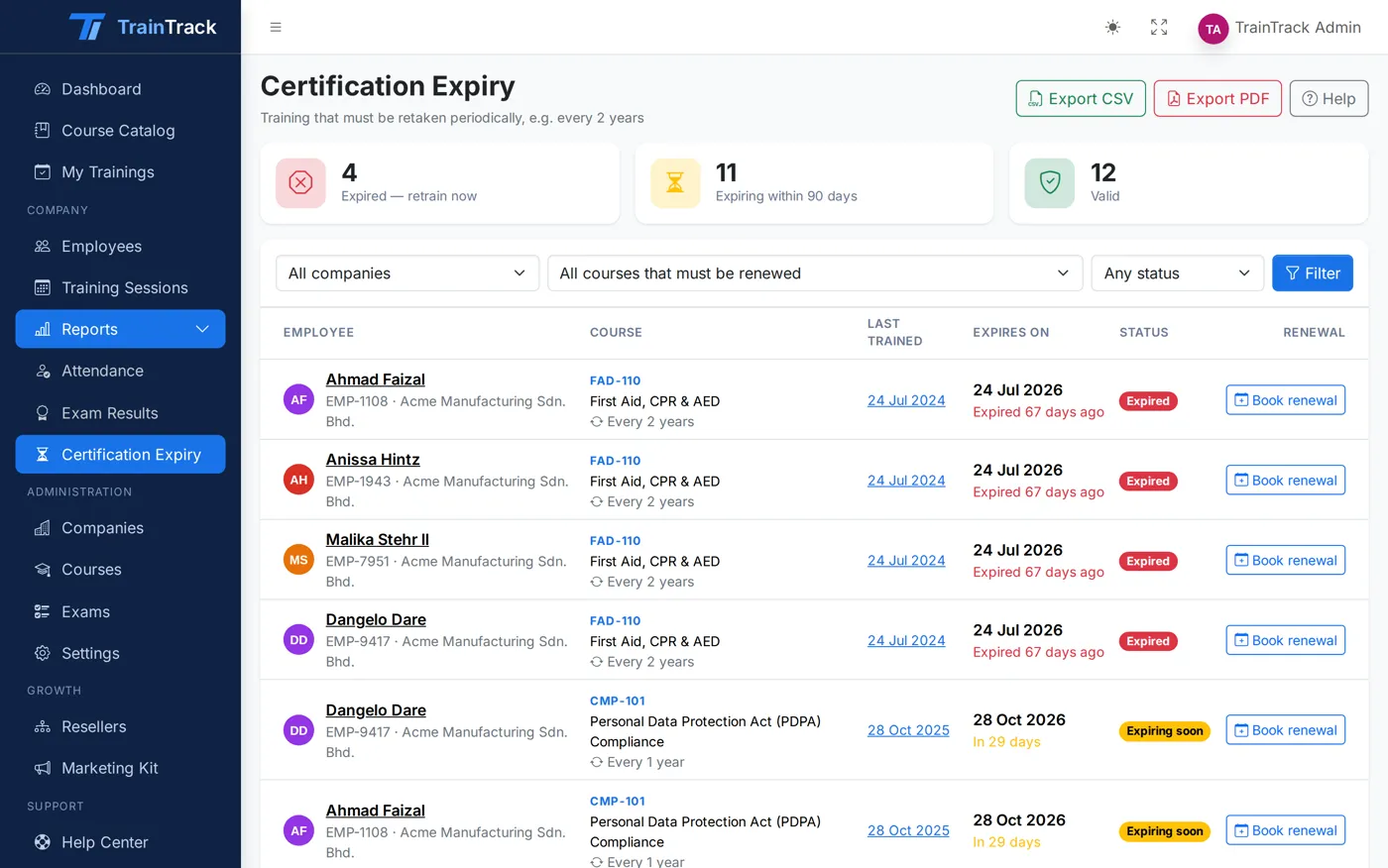
Three statuses
One look tells you where every employee stands.
Trained and in date. Nothing to do until the expiry window opens.
Due within 90 days (or the window you choose). An expiry warning email goes out, and the renewal can be booked in one click.
Past the expiry date. It shows on the HR dashboard’s retraining-due alert until the employee is retrained.
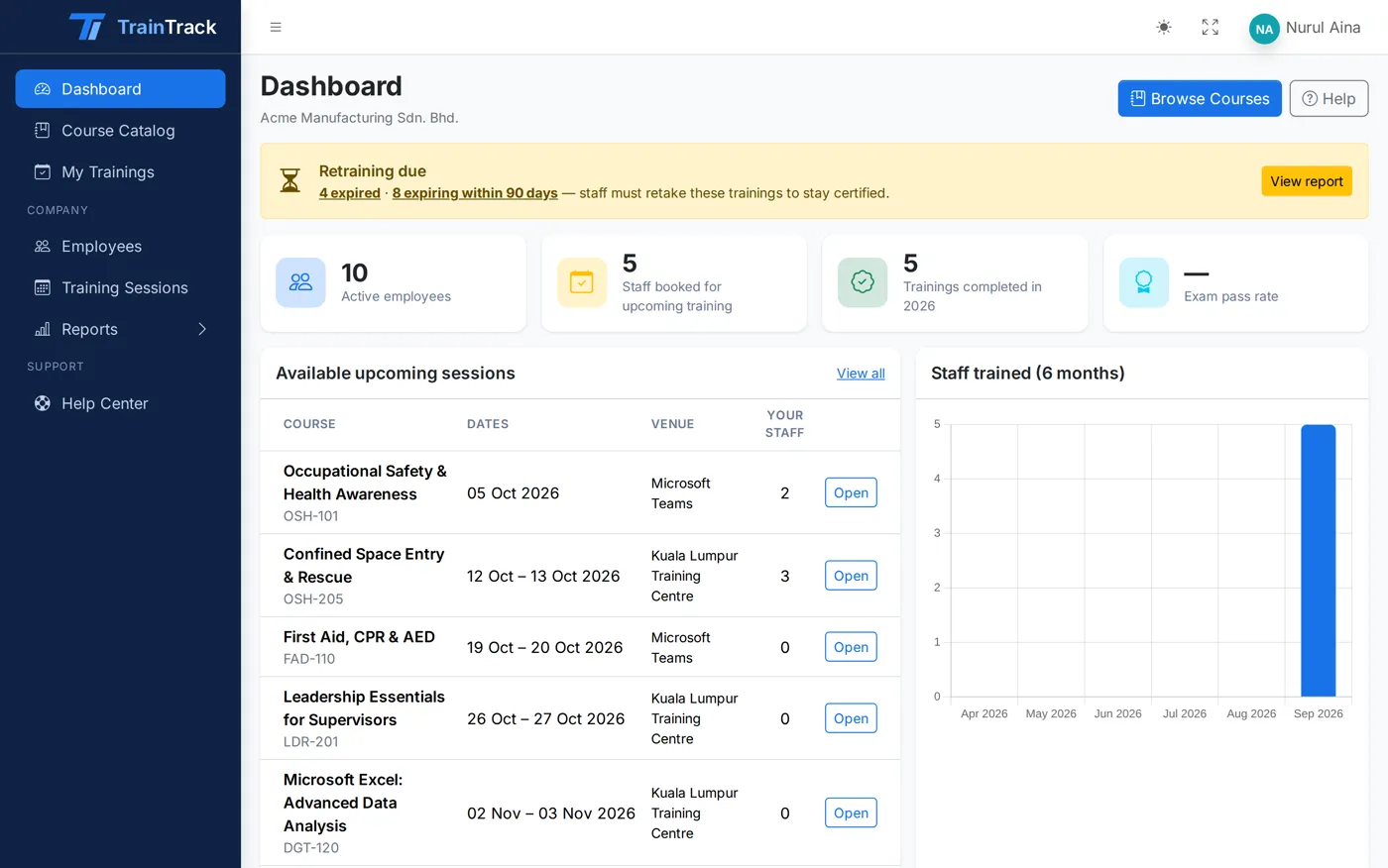
For HR
The retraining list comes to you.
Company HR signs in to a dashboard for their own company only. The retraining-due alert sits at the top, and a summary email lands every morning at 08:00.
- Only their own employees, courses and reports
- Staff booked, trainings completed and exam pass rate
- Upcoming sessions with their staff already enrolled
Reports & HRDF evidence
Claim-ready reports in two clicks.
Attendance, exam results and certification expiry — filtered the way you need, and exported the way HRDF and your clients ask for them.
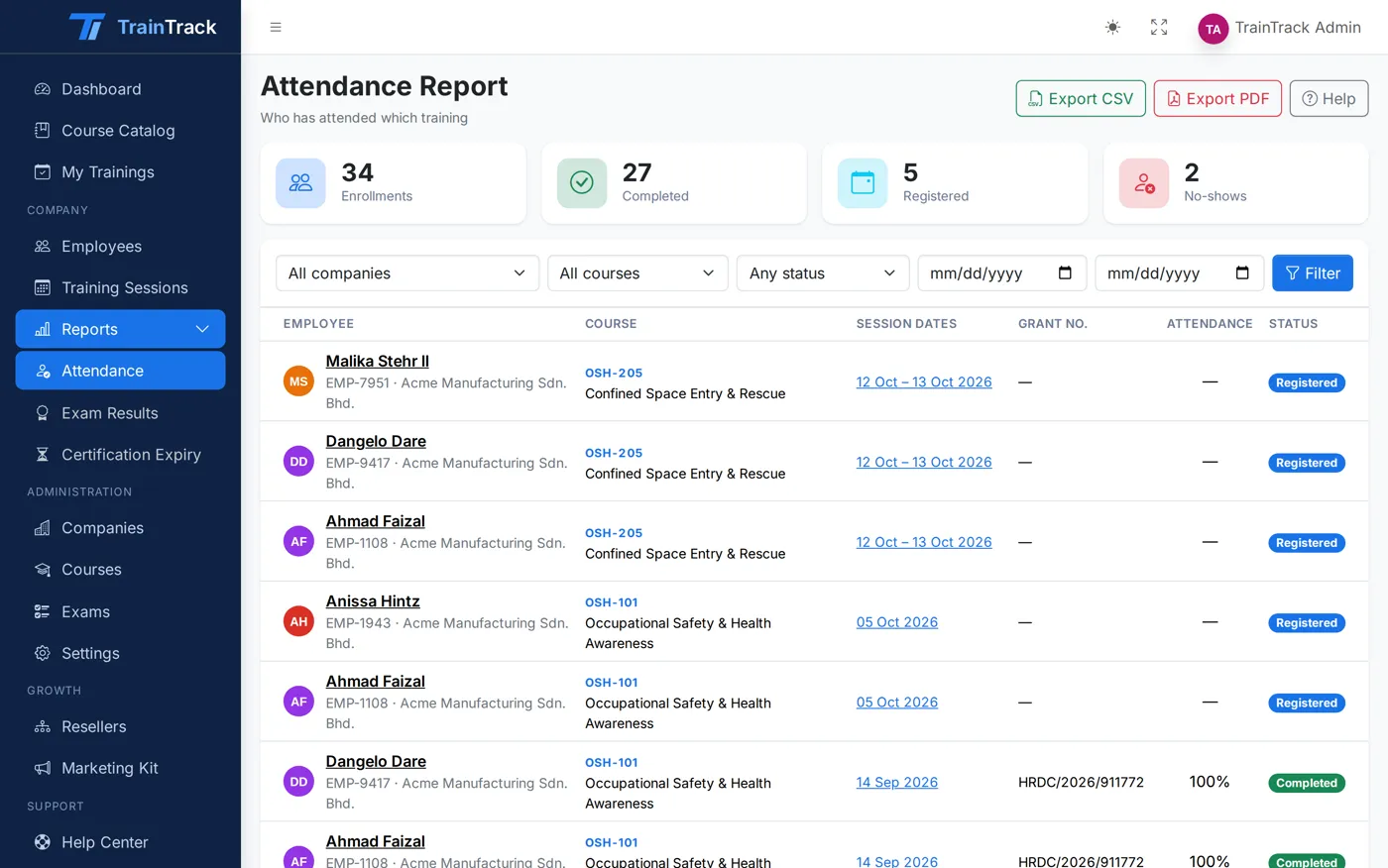
Attendance report
Who attended which session, day by day, with totals per company.
Exam results report
Scores, pass or fail and number of attempts for every trainee and exam.
Certification expiry report
Every certification with its last training date, expiry date and status.
CSV and PDF export
Download any report as CSV for Excel, or a print-ready A4 PDF for your claim file.
Live dashboards
Admin and HR dashboards show upcoming sessions, staff trained and exam pass rates at a glance.
HRDF details on record
Claimable flag and scheme on every course, and the grant number on every session — so the claim file is complete.
Plan, track and stay compliant with TrainTrack.
See it with your own courses in a 30-minute walkthrough, or sign in to the live demo right now.